Camera Calibration
Calibrate your camera and manage calibration data.
This screen is available from main screen Menu | Settings | Camera calibration.
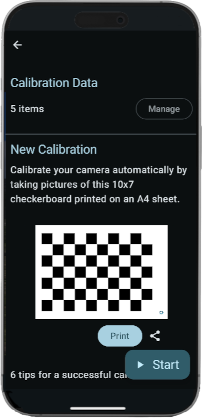
Camera calibration data is used to setup photo optical properties and enhance localisation on photos.
Calibration Data
Review and manage data created by calibrating your cameras.
Click Manage to view Calibration Data.
New Calibration
Calibrate your camera automatically by taking pictures a this 10x7 checkerboard printed on an A4 sheet.
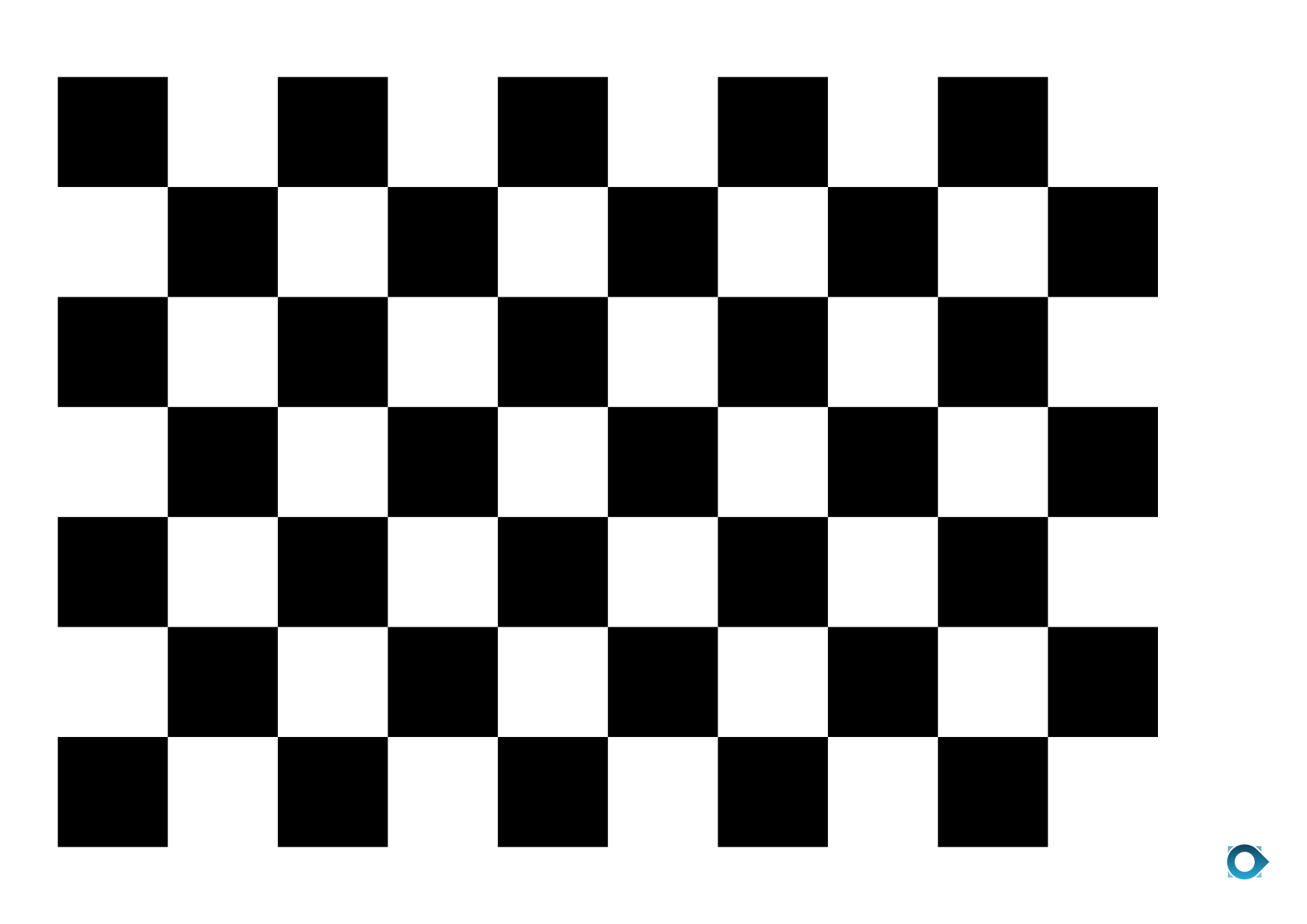
- Good lighting
- Flat checkerboard
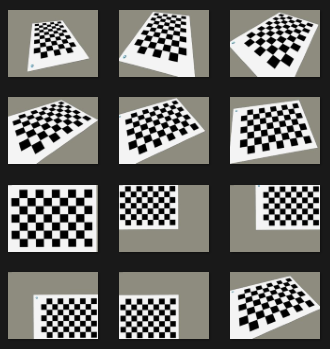
- Varied view angles
- Full checkerboard on each photo
- Checkerboard near the edgein some photos
- 10 to 15 photos
Example of checkerboard photos for camera calibration:
Click Start to begin calibration.
For Veezer Plus users: If your phone has several cameras, before taking the first picture you can select the camera.
When you have enough photos click Done to calibrate the camera using these photos.
After processing, read carrefully the report and check if everything is ok.
Click Validate to save camera calibration.
The new calibration will be used by default for new photos.
If a camera calibration was alrady created, you can display metrics to compare the new camera model to the previous one before validating.