Quick Start Guide
Veezer is a mobile app for tracking and geolocation on photos.
Principle
Take a photo, locate yourself in the photo
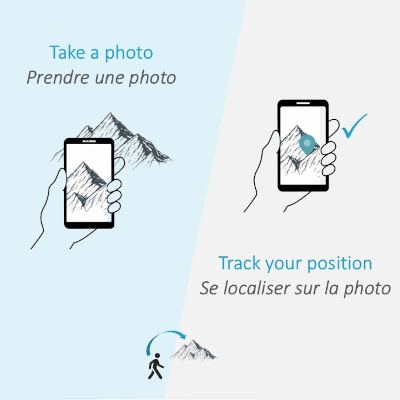
Take reconnaissance photos with the app, and locate yourself precisely in your photos during your journey.
See the Veezer principle video (30 s)
Installation: Calibrate your Camera
Camera calibration is recommended in preparation for your outings to improve the positioning in your photos (to be done only once after installing the application).
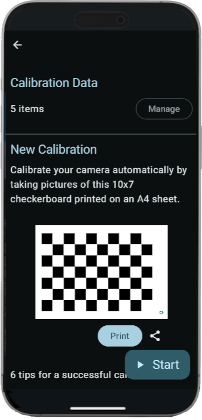
From the app's home page, Menu | Settings | Camera calibration.
The calibration requires the printing of a checkerboard pattern and the acquisition of a dozen photos in the application.
Follow the instructions to perform the calibration.
Take a Photo
Choose a location with a clear view of your route and take a photo.
The ideal shooting distance ranges from 500 m to 3 km (from 1500 ft to 2 mi).
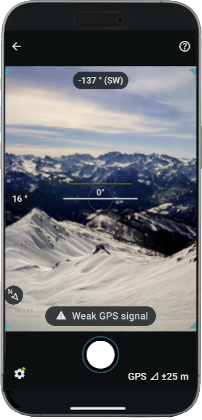
To optimize positioning accuracy:
- Hold the position of the phone when shooting.
- Check that the GPS position is accurate enough before taking the photo, wait a few seconds if necessary.
Locate Yourself in the Photo
Use the photo to locate yourself during your journey and get an overview of your surroundings.
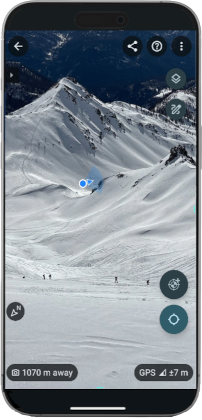
For precise location, add a control point.
Add Drawings
Add paths and annotations to the photo to describe a route or to detail locations.
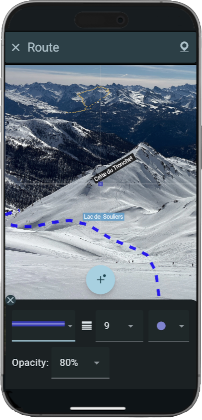
View your GPS tracks on the photo*.
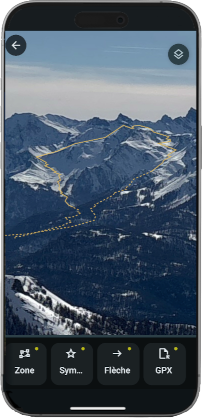
(*) with Veezer subscription
Share your Photos
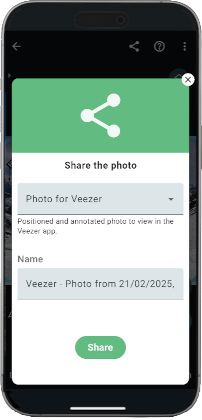
Share the photo positioned and annotated to allow other users to view it in the app.
Manage your Veezer Subscription
Remove advertising and get new features.