
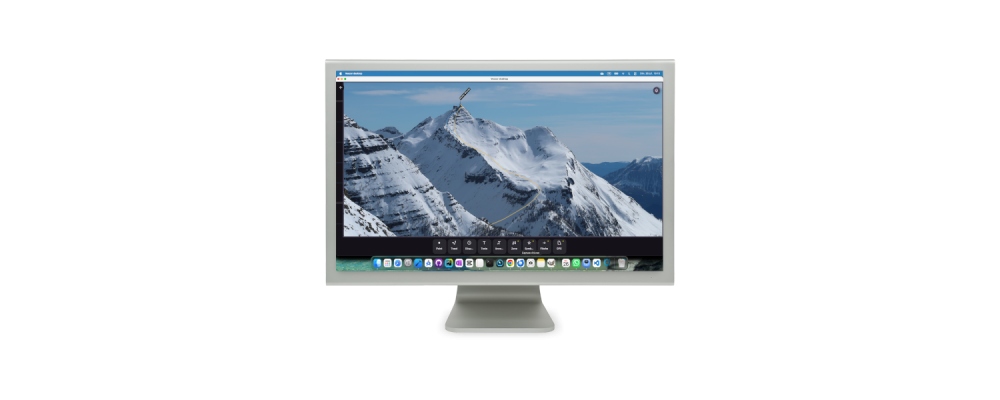
When you start using the Veezer app intensively on a phone to prepare photos, you might wonder if a desktop tool would be better suited for this preparation work, which doesn’t happen in the field.
The Veezer mobile app—available on iOS and Android—is built on Kotlin Multiplatform code, which, in theory, can be easily ported to desktop and even the web.
It’s not on the roadmap, but what if we took a one-day detour to evaluate this?
Feedback from a vibe coding escape
+ 0h00 – Ready, set, go! A Mac, Android Studio, the latest version of Veezer’s code, and a full day ahead to code 🙂
+ 0h30 – Created a dedicated Git branch, and a quick AI search shows how to add a desktop target to the project.
It compiles, it displays a screen with the text “Hello world” on desktop—a great start!
+ 1h30 – A bit of setup, but it’s almost a formality to create (without implementing) a desktop version of Veezer’s code, which is already modular to work on iOS and Android.
It compiles, it launches, it displays Veezer’s empty gallery, the menu interface works, but nothing else does!
+ 4h – The hard part begins: implementing native desktop code to load and display a photo. Input/output, system calls and dialogs, encryption, archive management, graphical functions, etc.
The good news: much of the native Android code uses Java and can be reused for the desktop version and shared.
It launches, it displays the gallery, and you can open Veezer photos in OVZ format. The photos appear in the gallery, and you can open them, but they’re poorly oriented, and you can’t zoom in on the image.
+ 6h – A little effort to start properly managing photos: implementing initial EXIF handling to read image size and orientation, and adding mouse wheel zoom.
You can now view photos correctly. This is already a great desktop photo gallery 🙂
+ 9h – An important step to accomplish: importing and georeferencing photos. For the import part, the effort mainly involves comprehensive EXIF management. For georeferencing, a specific version of the image processing components needs to be integrated. Fortunately, the calibration logic remains in the shared code. We also fix a few issues with line thickness in the display.
It works: you can import a photo, add control points, and the photo calibration works. Things are starting to look good!
+ 10h – There’s no point in preparing photos without sharing them. Sharing on desktop becomes a simple file selection dialog, but there are a few tricky surprises with file saving. Nothing too serious—just the developer’s daily grind, but it takes some time 🙂
+ 12h – We’re entering the finishing touches, so there’s less than 80% of the work left to do 🙂
We hide the functions we don’t need on desktop (GPS, camera), and we port the small things we’d set aside (toast messages, the app’s name and icon—”Veezer Desktop,” etc.). Some ergonomic work is needed to ensure the drawing tools function correctly on desktop, and we manage settings to save preferences.
The result
It’s not a finished product, and that’s not the goal, but the result is very convincing: a fully functional desktop version of Veezer for photo preparation. Open Veezer photos, manage photos in the gallery, display photos in full screen with drawings and annotations, import photos, georeference them, add drawings, and re-share them.
Preview of Veezer desktop’s photo view (here on Mac):
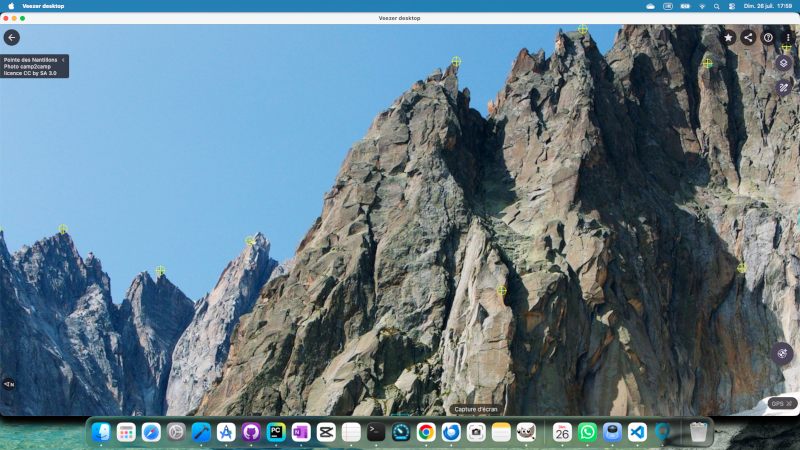
Of course, we skipped the camera and GPS features. In some respects, the ergonomics could be reworked (finding an alternative to long-press for selection, etc.), but the essentials are there, and overall, the interfaces designed for mobile work perfectly on desktop.
Preview of the photo referencing dialog on desktop:
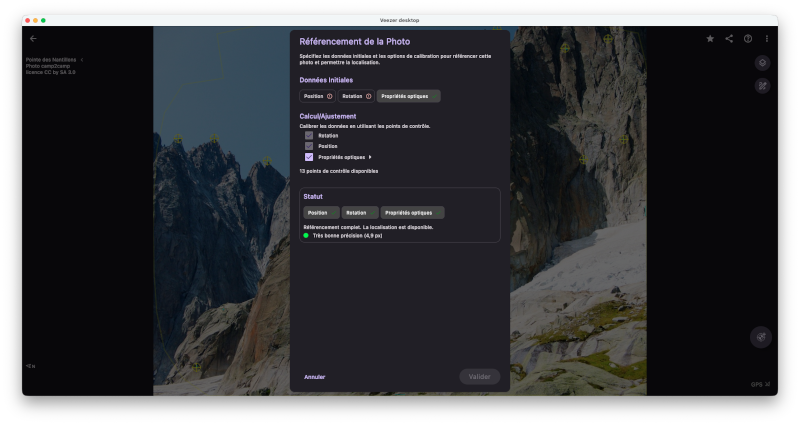
This prototype will, at the very least, be useful for internal photo production!
Many proofs of concept have been created with the Veezer app to explore uses in various fields: geolocating photos to complement hiking, climbing, and mountaineering route maps; georeferencing historical photos; and using geolocated photos as cartographic support for fun quests.
These proofs of concept rely on existing photos provided by partners or sourced from a database. Preparation work in the Veezer app is required to import the photos, georeference them, and possibly enrich them with drawings and annotations.
In the future, all this preparation work could be done in a more suitable environment with the desktop version of Veezer.